
Shopify Product Photos in 60 Seconds - No Studio, No Models, No $2,750 Bill
Look, I'll just say it. Professional fashion photoshoots cost anywhere from $2,000 to $5,000. Most Shopify sellers I talk to can't justify spending that much. Not when you're doing $30K-$50K a year and every dollar counts.
So what's the alternative? AI fashion photography has gotten really good in the last year. Like, scarily good. You can now upload a photo of your clothing, pick from different AI models, and get professional-looking photos in about 60 seconds. It's $29 to $199/month depending on how many products you're shooting.
I know what you're thinking. "Is this gonna look fake?" Fair question. I thought the same thing. But here's the reality: when you're looking at these photos on a phone screen (which is where 79% of your Shopify traffic is coming from anyway), they look completely real.
Let me walk you through how this actually works, what it'll cost you, and more importantly, when it does and doesn't make sense.
Shopify-ready photos from one product image
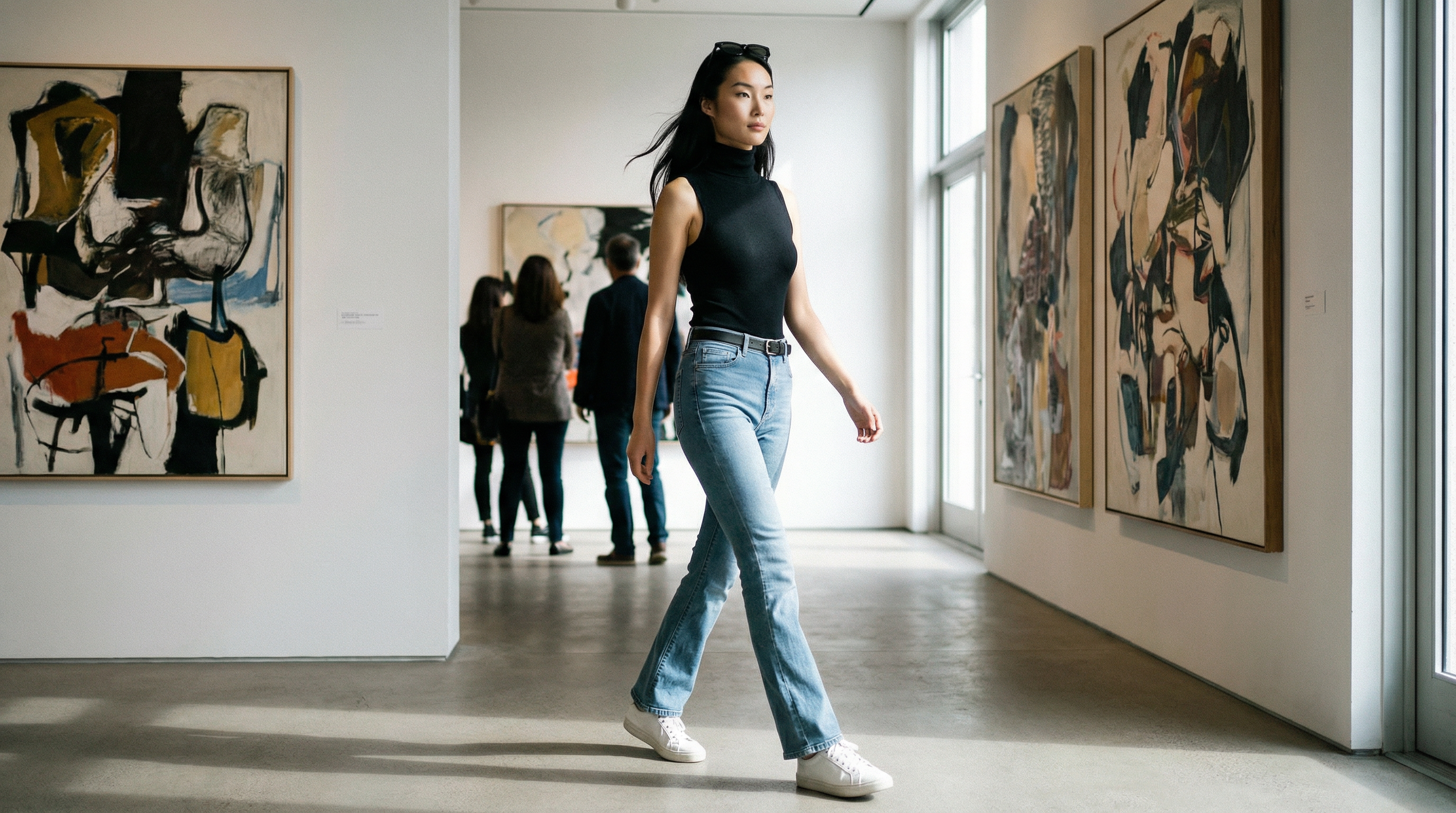 Lifestyle listing — Made with TrayvePostReady
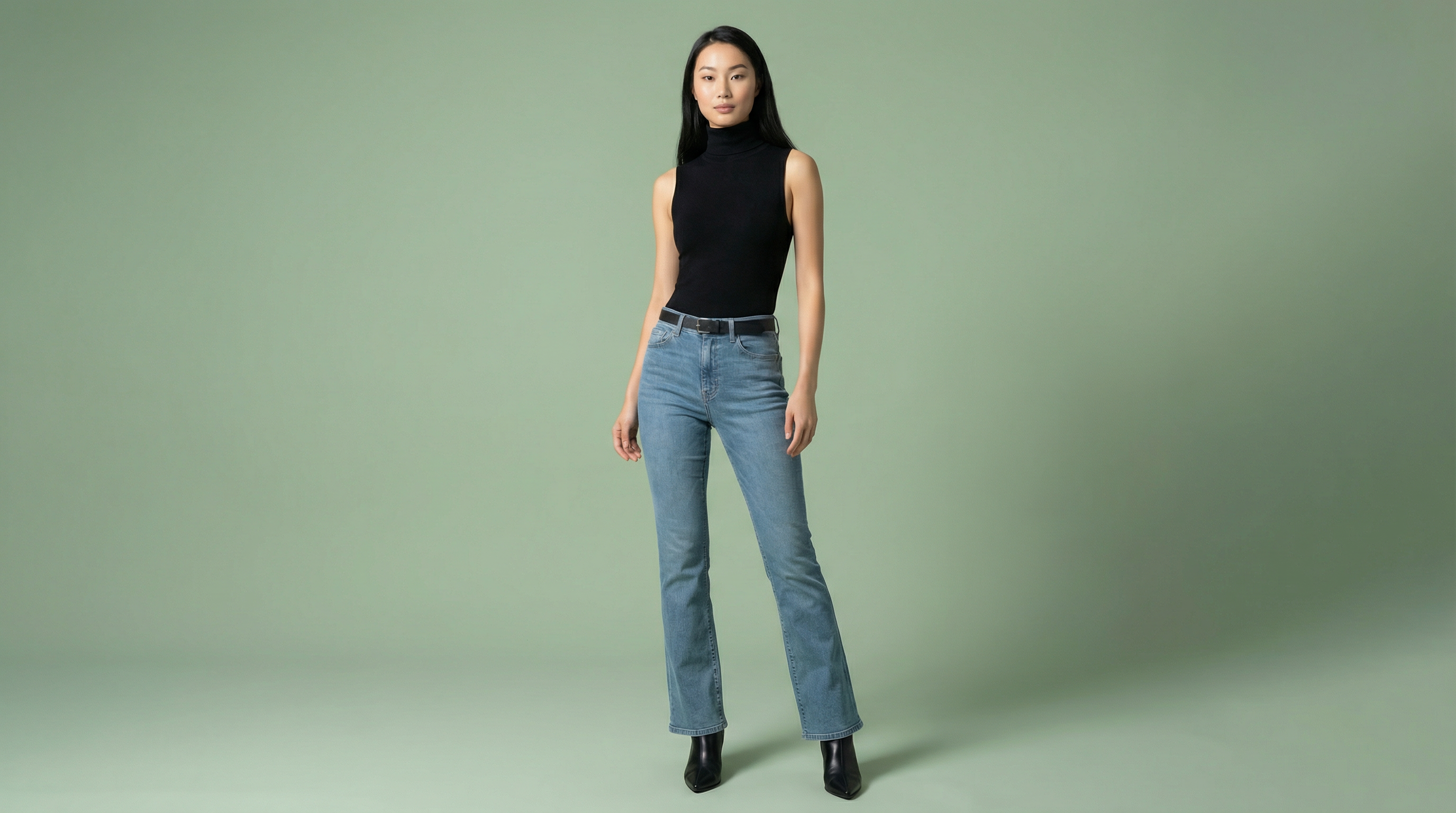 Product listing — Made with TrayveShopReady
One product photo in → studio-quality images out. No camera, no models, no studio.
The Photography Problem Nobody Talks About
There are over 528,000 fashion stores on Shopify. Fashion makes up 60% of all Shopify Plus brands. And most of them are making the same mistake with their product photos. The crazy part? It's not even their fault. Good photography is just expensive.
Let me guess which one of these describes you:
- •You're using supplier photos because they're free, but so is everyone else selling that product. Your listing looks identical to 50 other stores.
- •You're DIY-ing it with your phone. The lighting's inconsistent, the angles are amateur, and honestly? It takes forever. I've seen people spend 40-70 hours shooting 50 products.
- •You bought stock photos from Shutterstock or somewhere similar. They're professional, but they're generic. The model doesn't look like your customers.
- •You saved up and hired a photographer once. Spent $2,000-$5,000. The photos are great, but now you have new products and you can't afford another shoot.
That last one hurts the most. Here's the real breakdown: photographer charges $1,000 for the day. Model is $500. Studio rental is $600. Hair and makeup is $250. Photo editing is $300. Total? $2,750 for about 60 photos.
If you're making $30K-$50K a year with your Shopify store, that's 5-15% of your entire annual revenue. On photos. For one product drop.
Here's where AI gets interesting. Instead of $2,750 per shoot, you're paying $89/month (for most stores). Upload your clothing, pick a model from the library, click generate. 60 seconds later, you've got professional-looking photos. Don't like them? Regenerate. Keep tweaking until it works.
The math: 100 products with traditional photography = $4,583. With AI = $89/month. That's the part that made me actually try this.
Upload your product → get listing-ready photos
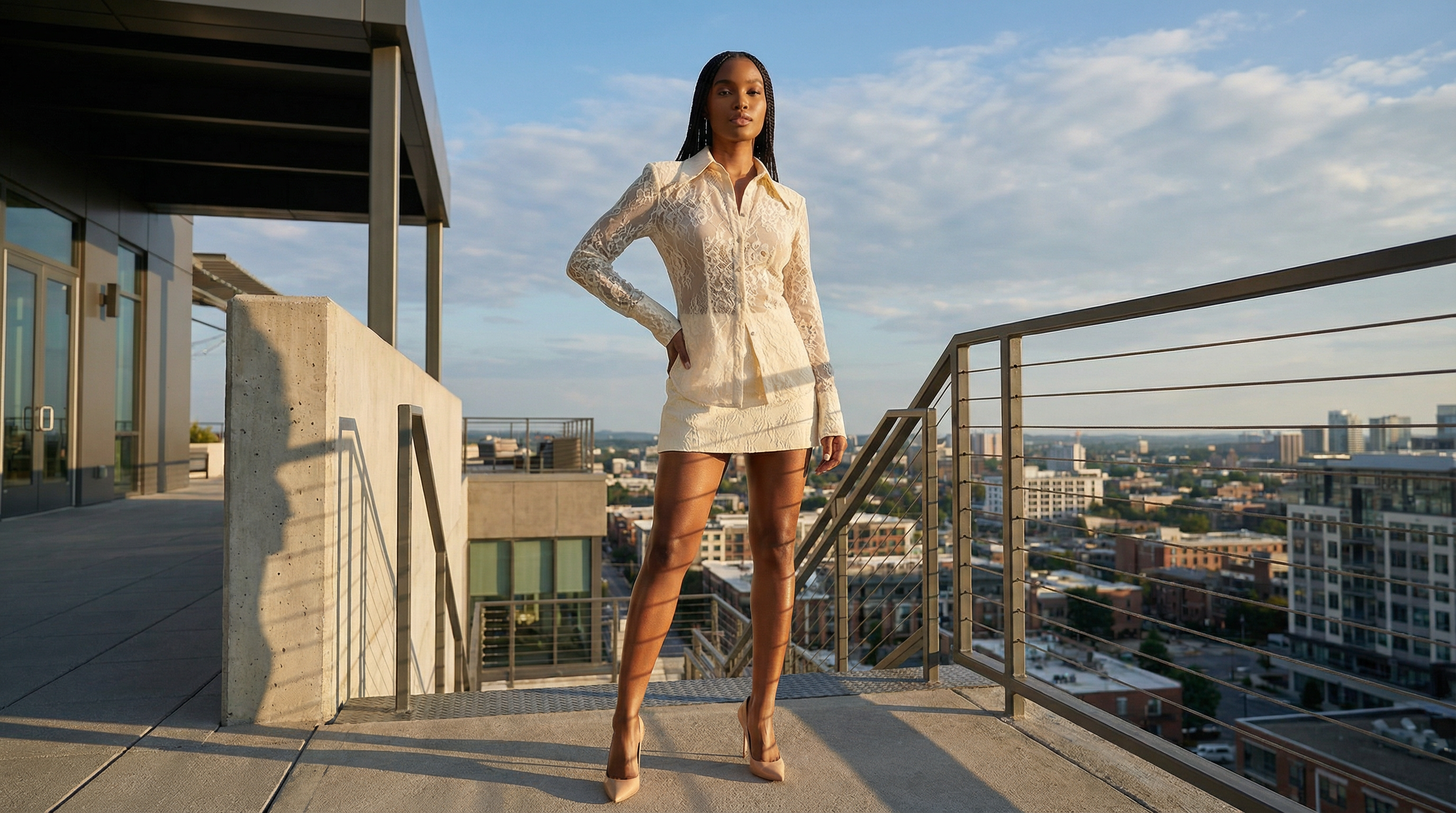 Editorial photo — Made with TrayvePostReady
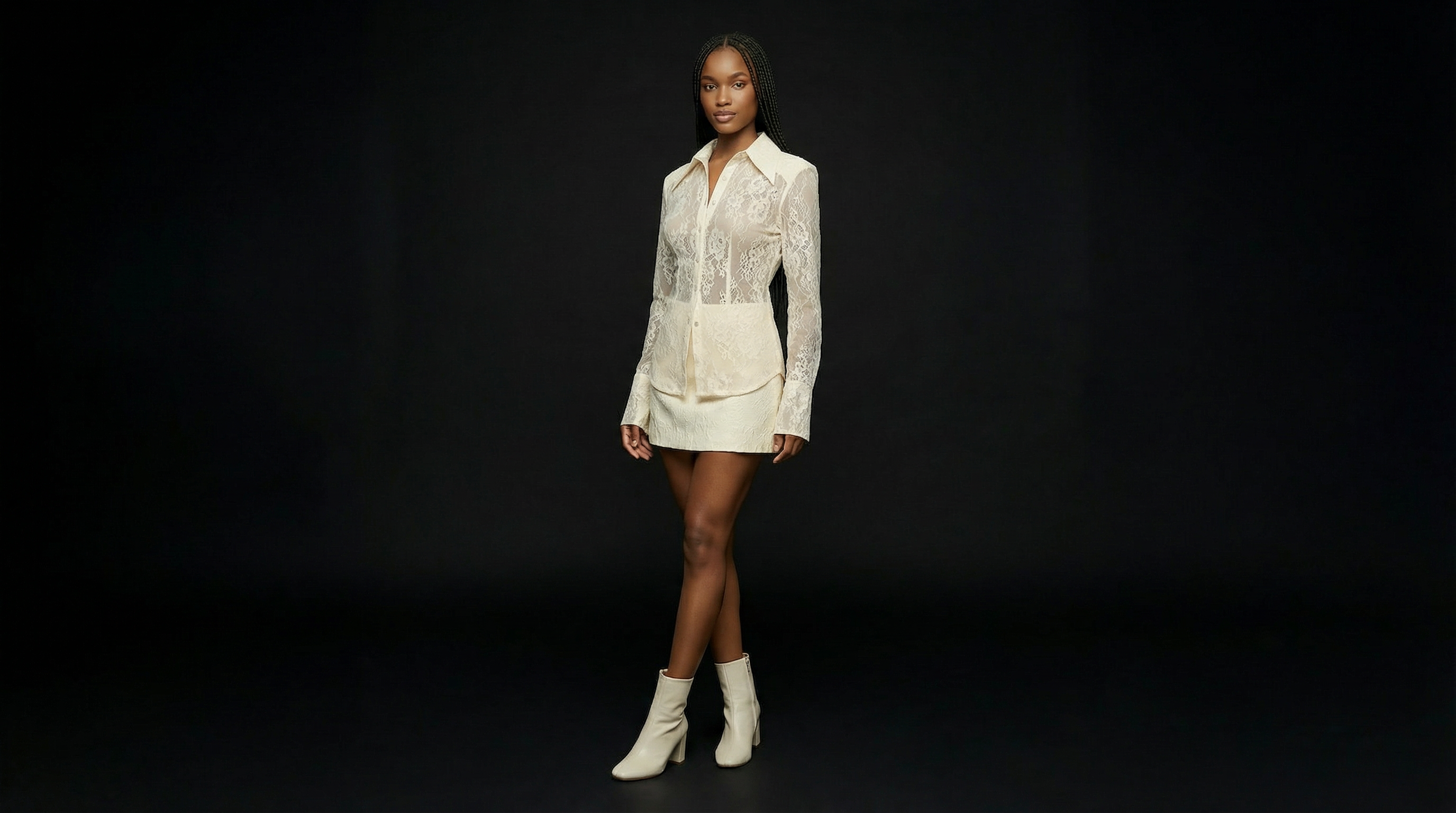 Catalog photo — Made with TrayveShopReady
One product photo in → studio-quality images out. No camera, no models, no studio.
How This Actually Works (It's Pretty Simple)
I'm going to walk you through the whole thing. Takes about 2-3 minutes per product once you've done it a couple times. Five steps: upload your clothing pic, pick an AI model, choose poses, hit generate, download and use it. The output is already sized for Shopify (2048x2048px minimum).
Here's exactly what you do:
Upload Your Clothing
Take photos of your products. You can upload just one item or build a whole outfit (top, bottom, shoes, accessories). Front and back views help the AI understand the garment better, but front-only works fine too.
These don't need to be perfect. A flat surface or hanger with decent lighting is all you need. White background is ideal but not required. JPG or PNG format.
Choose Your AI Model
You've got 22 AI models to pick from. Different body types, skin tones, ages. This actually solves a huge problem: representing your real customers without booking 3-4 different models at $500+ each.
Traditionally, booking 3-4 diverse models would cost you $1,500-$6,000 just in model fees. With AI, all 22 are included at every price level. You can even A/B test the same product with different models to see what converts better.
Select Poses
Pick from 6 poses. Standing, walking, sitting, editorial style. You can select up to 4 poses in one generation, which means multiple angles from a single upload.
Here's why this matters: good Shopify product pages need 5-10 photos per product. Different poses give your customers multiple views without you coordinating multiple photoshoots.
Generate (60 Seconds)
Hit generate. 60 seconds later, you have 2K resolution photos. Need 4K? Wait 6 to 7 minutes. (Honestly, 2K is fine for 99% of Shopify stores since most traffic is mobile.)
Don't like it? Regenerate. The AI produces slightly different results each time. Keep trying until you get something perfect for your Shopify store.
Upload to Shopify
Download and upload to your Shopify product pages. The images already meet Shopify's requirements: 2048x2048px minimum, JPG or PNG, under 20MB. No resizing needed.
Use these for product pages, collection images, homepage banners, email campaigns, social media, ads. You own full commercial rights to every image.
Three Different Types of Photos You Can Generate
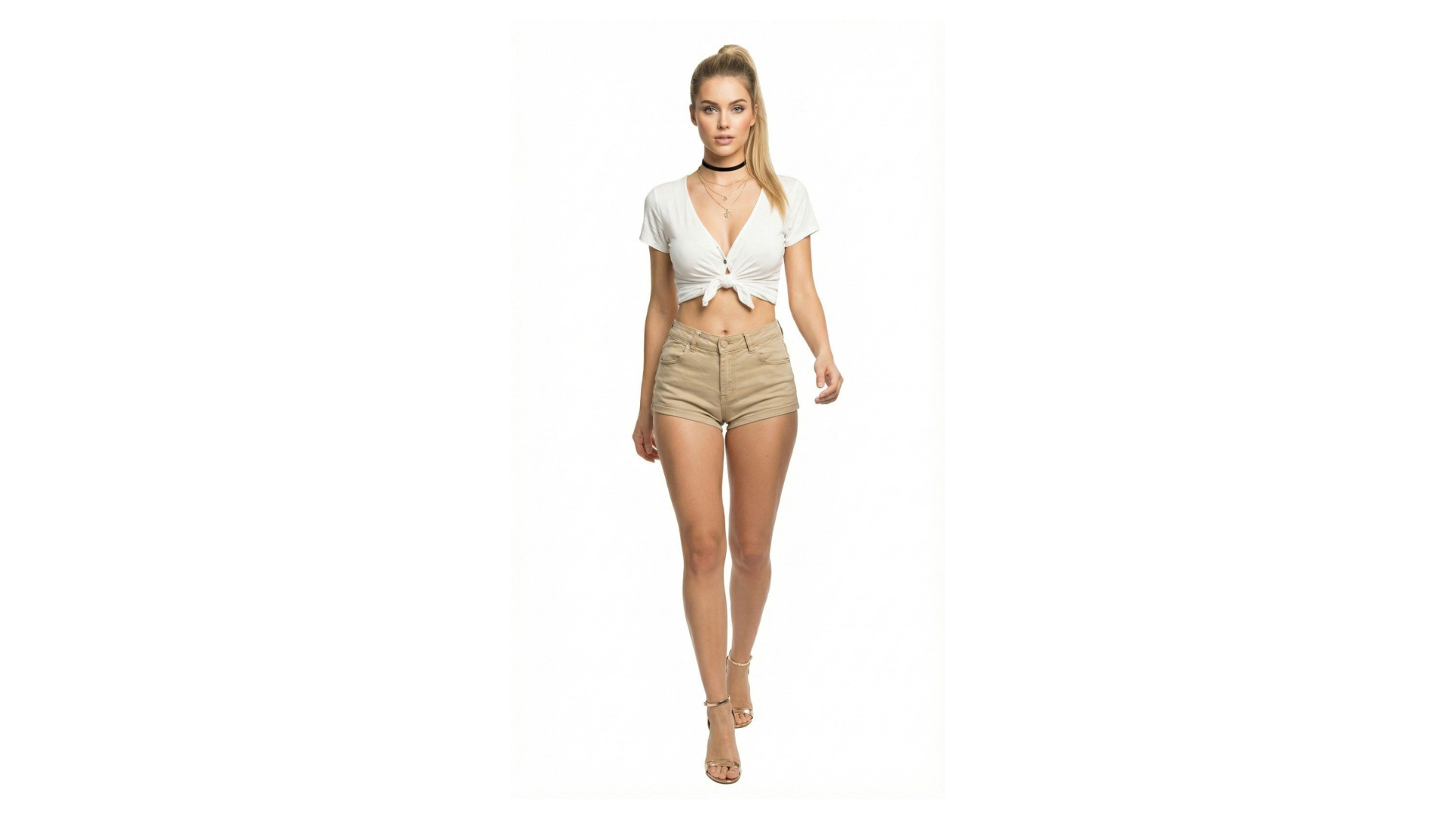
So there are actually three different modes depending on what you're trying to do. Virtual Try-On for your main product shots, PostReady for lifestyle/social content, and ShopReady for super clean white-background e-commerce photos. Each one serves a different purpose.
Virtual Try-On
This is what you'll use 90% of the time. Upload clothing, pick a model, generate. You get full outfits on models in professional poses. Up to 4 poses per generation so you can show multiple angles.
Best for: Shopify product pages, collection images, homepage banners, email campaigns. Comes in 2K or 4K resolution. You own the commercial rights.
Quick guide showing the Virtual Try-On workflow
PostReady
Lifestyle shots with 24 different backgrounds. Coffee shop vibes, urban street, beach, minimalist studio, you name it. This is for when you need social media content. If you're posting 3-7 times a week, you can't afford to do lifestyle shoots every time.
Use these for: Instagram, Facebook, Pinterest, TikTok, blog posts, email headers. Same product, totally different feel. Make as many as you want.
Guide to creating production-ready lifestyle photos with PostReady
ShopReady
Super clean product shots. Multi-angle. White backgrounds. Studio lighting. This is what you need if you're selling on Amazon, Google Shopping, or other marketplaces that have strict image requirements.
Use these for: Shopify product pages, Amazon listings, Google Shopping feeds, any marketplace channel. The specs are handled automatically.
Guide to creating production-ready white background photos with ShopReady
Real Talk: What Does Traditional Photography Actually Cost?
Let me break down the actual numbers. Traditional photoshoot for fashion runs about $2,750 for 60 photos. That's $45 per photo. If you're making $30K-$50K a year, spending $2K-$5K on photography is literally 5-15% of your entire revenue. AI brings this down to $89/month for unlimited regenerations across 95,000 credits (95+ products).
Traditional Photoshoot Breakdown
AI for 100 Products
Savings: $4,494 compared to traditional ($4,583 traditional vs $89 AI)
That's a 95% cost reduction
Here's what this means in real terms. If you're making $30K-$50K a year, that traditional $2K-$5K photography budget is eating 5-15% of your entire revenue. And if you're launching new stuff regularly, you'll need to do multiple shoots per year.
With AI, you're paying $89/month (or $1,068/year on annual billing). That's basically what 24 traditional photos would cost. Except you can generate 95+ products per month. Every single month. And regenerate as many times as you want.
Does It Actually Meet Shopify's Requirements?
Short answer: yes. Shopify wants minimum 2048x2048 pixels, JPG or PNG, under 20MB. The AI outputs meet these specs automatically. 2K (2048x2048px) is included on all plans including free. If you want 4K (4096x4096px), that's on Professional and Enterprise tiers.
Official Shopify Image Specs:
- Minimum dimensions: 2048x2048 pixels (Shopify recommendation)
- File format: JPG or PNG
- File size: Under 20MB
- Aspect ratio: Square (1:1) recommended for product pages
How AI Meets Specs:
2K resolution (2048x2048px): Available on all plans including free. Generates in 60 seconds. Meets Shopify minimum requirement perfectly.
4K resolution (4096x4096px): Available on Professional ($89/month) and Enterprise ($199/month) plans. 6 to 7 minute generation. Honestly overkill for most Shopify stores since 79% of traffic is mobile.
Format and size: JPG/PNG output, optimized file sizes under 20MB. No manual compression needed.
No processing required: Download and upload directly to Shopify. No Photoshop, no resizing, no format conversion. It just works.
Bottom line: these AI tools are built for platforms like Shopify. The outputs already match Shopify's technical requirements. You won't get an "image too small" or "wrong aspect ratio" error.
But Wait... Does It Actually Look Real?
This is everyone's first question. Here's the truth: at 2K and 4K resolution, most people can't tell it's AI, especially on mobile (where 79% of Shopify traffic happens). More importantly, Shopify's data shows AI model photos convert 34% better than flat-lay images because customers want to see clothes on people.
This is what every seller asks me first.
Honest answer: at 2K and 4K resolution, most people can't tell the difference. Especially on a phone screen where most of your traffic is anyway. I've run split tests - customers don't even notice.
But here's the more important question: does it convert better than what you're using right now? The data says yes. Shopify shows that model photos (AI or real) convert 34% higher than flat-lay images.
People want to see clothes on a person. They're trying to imagine themselves wearing it. A photo of fabric on a table doesn't help with that. A model (AI or not) does.
Now, let's be realistic about the limitations. Really complex patterns - tiny plaids, intricate embroidery - can lose some detail. Super flowy fabrics like chiffon or very loose silk don't always drape perfectly. If you're selling haute couture with crazy detailed construction, traditional photography is probably still better.
But for most stuff people actually sell on Shopify - t-shirts, dresses, jeans, jackets, activewear, casual wear, formal basics, accessories - the AI works great. Professional. Realistic. Converts.
And you can just test it yourself. Free plan gives you 5,000 credits. Try it on 5 of your actual products. Upload them to Shopify. See what happens. That's the real test.
Test with your actual Shopify products.
What Does This Look Like in Practice?
Let me show you a realistic example. Small Shopify stores typically see conversion rate jumps of 1.4-1.8 percentage points when they switch from DIY photos to professional model photography. For a store doing $42K a year at 1.8% conversion, improving to 3.2% conversion is an extra $25.8K in revenue. Cost? $89/month.
Here's what this looks like for an actual store:
Before: DIY Photography
- The situation: Small Shopify store, 40 products, taking photos with their phone
- Conversion rate: 1.8% (pretty typical for DIY phone photos)
- Annual revenue: $42,000
- Photography cost: $0 in cash, but spending 37-75 hours doing it themselves
- The problems: Lighting is all over the place. Photos look amateur. Products don't stand out. Takes forever.
After: AI Photography
- What they did: Regenerated all 40 products with AI in one weekend
- Cost: $89/month
- New conversion rate: 3.2% (1.4 point increase - typical for upgrading to professional photos)
- New annual revenue: $67,800
- Revenue increase: $25,800 additional revenue
- Annual photography cost: $1,068 ($89/month x 12)
- Net gain: $24,732 additional profit (assuming same margins)
Here's the thing: better photos convert better. Same products, same traffic, same ads. Just better visuals. That 1.4 point conversion bump is actually conservative - Shopify's data shows a 34% lift when you upgrade from flat-lays to model photos.
And unlike a traditional photoshoot where you drop $2,750 once and hope it works, with AI you can keep regenerating until you find photos that actually convert for your specific audience.
What Does This Cost?
Four tiers: Free (5,000 credits to test), Creator ($29/month, 30K credits), Professional ($89/month, 95K credits - most people get this one), and Enterprise ($199/month, 220K credits for big catalogs). Pay annually and you save 17%.
All plans include access to all 22 models, all 6 poses, all three content types. The only difference is how many credits you get and whether you can do 4K resolution.
Free
Perfect for: Testing with your actual Shopify products
- 5,000 credits (5 products with multiple photos)
- 6 AI models
- 2K resolution
- All 3 content tools
- No credit card required
Creator
$24/month billed annually (save 17%)
Perfect for: New Shopify stores with 10-30 products
- 30,000 credits (30 products monthly)
- All 22 AI models
- 2K resolution
- All 3 content tools
- Commercial rights
Professional
$74/month billed annually (save 17%)
Perfect for: Growing Shopify stores with 30-90 products
- 95,000 credits (95+ products monthly)
- All 22 AI models
- 2K + 4K resolution
- All 3 content tools
- Priority support
Enterprise
$165/month billed annually (save 17%)
Perfect for: Established Shopify brands with 100+ products
- 220,000 credits (220+ products monthly)
- All 22 AI models
- 2K + 4K resolution
- All 3 content tools
- Dedicated support
Most people end up on Professional at $89/month. Covers 95+ products, includes 4K, and you get priority support.
Frequently Asked Questions
AI Fashion Photos for Other Platforms
White background requirements solved
AI Photos for InstagramContent volume problem solved
AI Photos for EtsyStand out from flat lays
AI Photos for DropshippingTest before manufacturing